
Section 06 · Companies
06The Companies List
The Companies list is the front door to Instinct. It's the same table you met in Part 2 — but with the richest set of filters in the whole product. Master these filters and you can carve the entire market down to exactly the companies worth your time: the right type, the right size, the right region, the right signals, the right maturity.
Finding a company by name
The Search companies… box matches on a company's name, its website domain, its AI-written description, and its headquarters — so if you can name it, type it and click Search. To build a set of companies rather than find one, reach for the filters below.
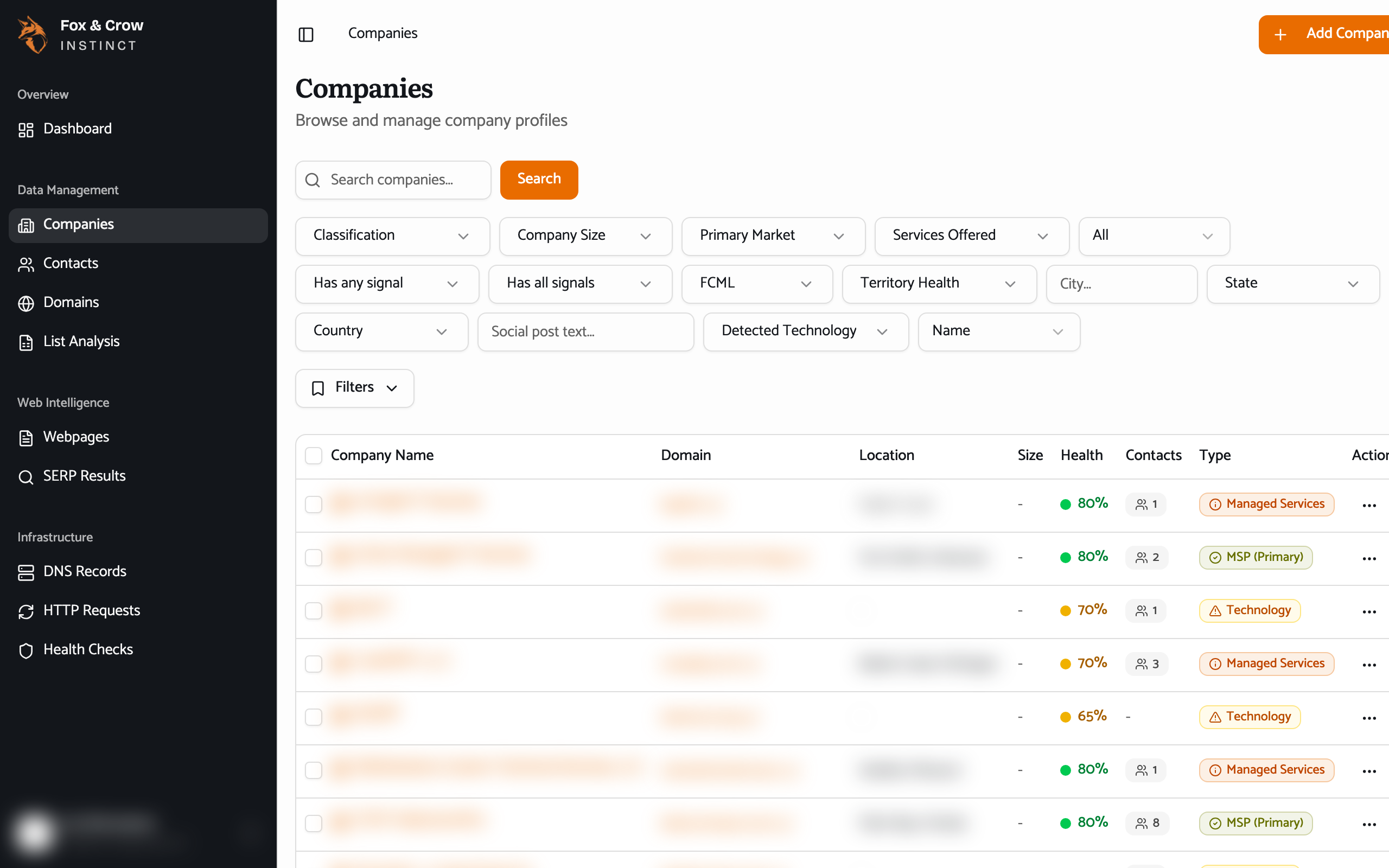
Figure 6.1The Companies list. Filters across the top, chips beneath, and a row per company with its domain, location, size, health, contact count, and classification.
The filters, grouped by what they answer
There are a lot of filters — here's what each one is for. Set any combination; they all stack, and each shows as a chip you can remove.
What kind of company is it?
- Classification — the big cut: MSP (Primary), Managed Services, Technology, or Other. Start here to separate true managed-service providers from adjacent tech companies.
- Services Offered — a searchable list of the specific services a company provides (there are dozens). Pick one or more to find, say, everyone offering a particular managed service.
- Primary Market — the industry a company chiefly serves (Healthcare, Financial Services, and so on).
- Detected Technology — the vendors and tools Instinct has detected a company using. Searchable; pick a vendor to find its install base.
How big is it, and where?
- Company Size — employee-count bands, from the smallest up to the largest.
- City, State, and Country — geography. State and Country are searchable pick-lists; City is free text.
How established is it? (the scores)
- FCML — the Fox Crow Maturity Level, a 1-to-5 band from 1 · Nascent to 5 · Mature. Filter to the maturity tier you sell to. (Section 08 explains how it's built.)
- Territory Health — a 1-to-5 band from 1 · Very Weak to 5 · Very Strong, describing how strong a company looks in its local market.
What can we prove about it? (signals)
Signals are individual facts Instinct has verified about a company — that it has a live website, a LinkedIn page, a current job posting, a compliance mention, and so on. Two filters work with them:
- Has any signal — match companies that have at least one of the signals you pick (an OR).
- Has all signals — match only companies that have every signal you pick (an AND).
Both are searchable multi-selects. Examples of signals you can require: Website, LinkedIn, Glassdoor, Currently hiring (90d), Compliance: SOC 2 mentioned, and SEO: llms.txt present (AI-ready), among others.
Who and what have we captured?
- Has Contacts — companies that do (or don't) have people on file: Has Contacts / No Contacts.
- Social post text — search the text of companies' recent LinkedIn and Facebook posts (roughly the last 30 days). Type a topic and find who's been posting about it.
Finally, Sort by orders the results — by Name or Domain.
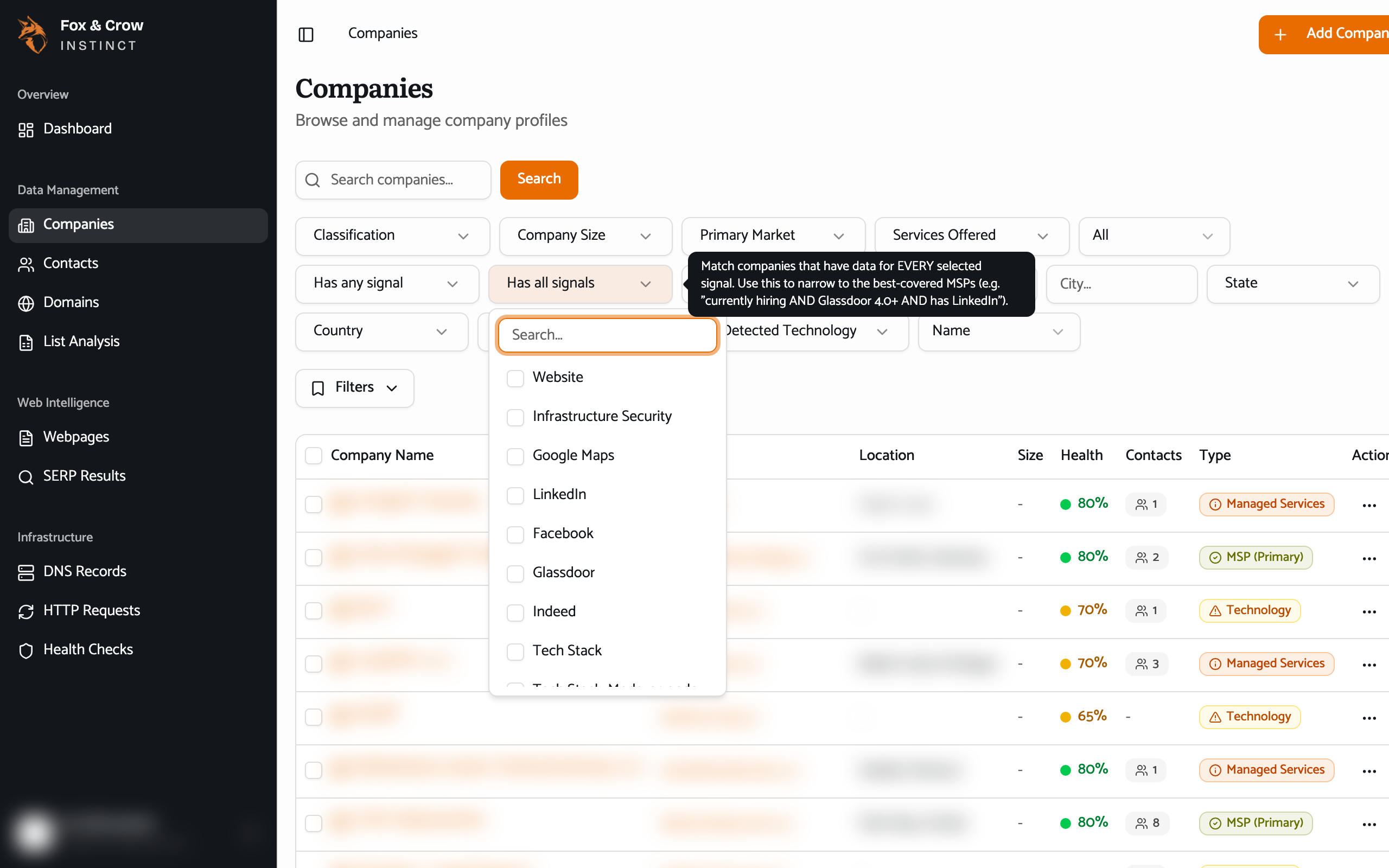
Figure 6.2The filter controls. Each has a tooltip; each becomes a removable chip once set. Combine them to carve the market down to a precise segment.
A recipe worth saving
A strong starting segment: Classification = MSP (Primary), a Company Size band or two that fits your ideal customer, your State(s), and Has all signals = Website, LinkedIn. That's a clean list of real, reachable managed-service providers in your patch. Save it (Section 05) and it's one click every morning.
Reading the columns
Each row summarizes a company at a glance:
| Column | What it shows |
|---|---|
| Company Name | The company. Click the row to open its profile. |
| Domain | Its website, as a link out to the live site. |
| Location | Where it's based, drawn from the best source we have for that company. |
| Size | Its employee-count band. |
| Health | A colored dot summarizing its web/technical health. |
| Contacts | How many people are on file for it. |
| Type | Its classification, as a badge. |
Acting on several companies at once
Tick the checkboxes on a few rows and the Actions bar appears. The one you'll use is Export Selected, which downloads just those companies as a file (Section 05). A couple of other buttons here — Run Health Check and Collect Data — belong to a future release; the data you see is refreshed for you automatically, so you don't need them today.
The bottom line
The whole market, filtered to the part that matters.
Type, size, region, maturity, and hard signals — stack the filters until the list is your target set, then save it and open any company to go deep.