
Section 10 · Companies
10Infrastructure & Technology
How a company runs its own technology tells you a lot — especially when that company is itself an IT provider. Two tabs cover it: Infrastructure looks at the company's domain, DNS, and email security, and Technology lists the vendors and tools Instinct has detected. For selling to MSPs, this is some of the most revealing data in the whole profile.
Infrastructure
The Infrastructure tab is a deep look at the company's web and email plumbing. It gathers:
- DNS Infrastructure — the company's DNS records (the entries that make its domain work): A/AAAA (where the site lives), CNAME (aliases), MX (mail servers), and TXT (verification and policy records).
- A Security Score with a Score Breakdown — a rating of how well the company's email and DNS are locked down.
- Email Security — whether the company has set up the three standards that stop others from spoofing its email:
- SPF (Sender Policy Framework) — which servers are allowed to send mail for the domain.
- DMARC — the policy for what to do with mail that fails the checks, plus where to send reports.
- DKIM — a cryptographic signature proving a message really came from the domain.
- WHOIS information — the domain's registration details: its Registrar, when it was Created, and when it Expires. A long-registered domain is a sign of an established business.
- Detected Services — third-party services the company's infrastructure reveals it's using.
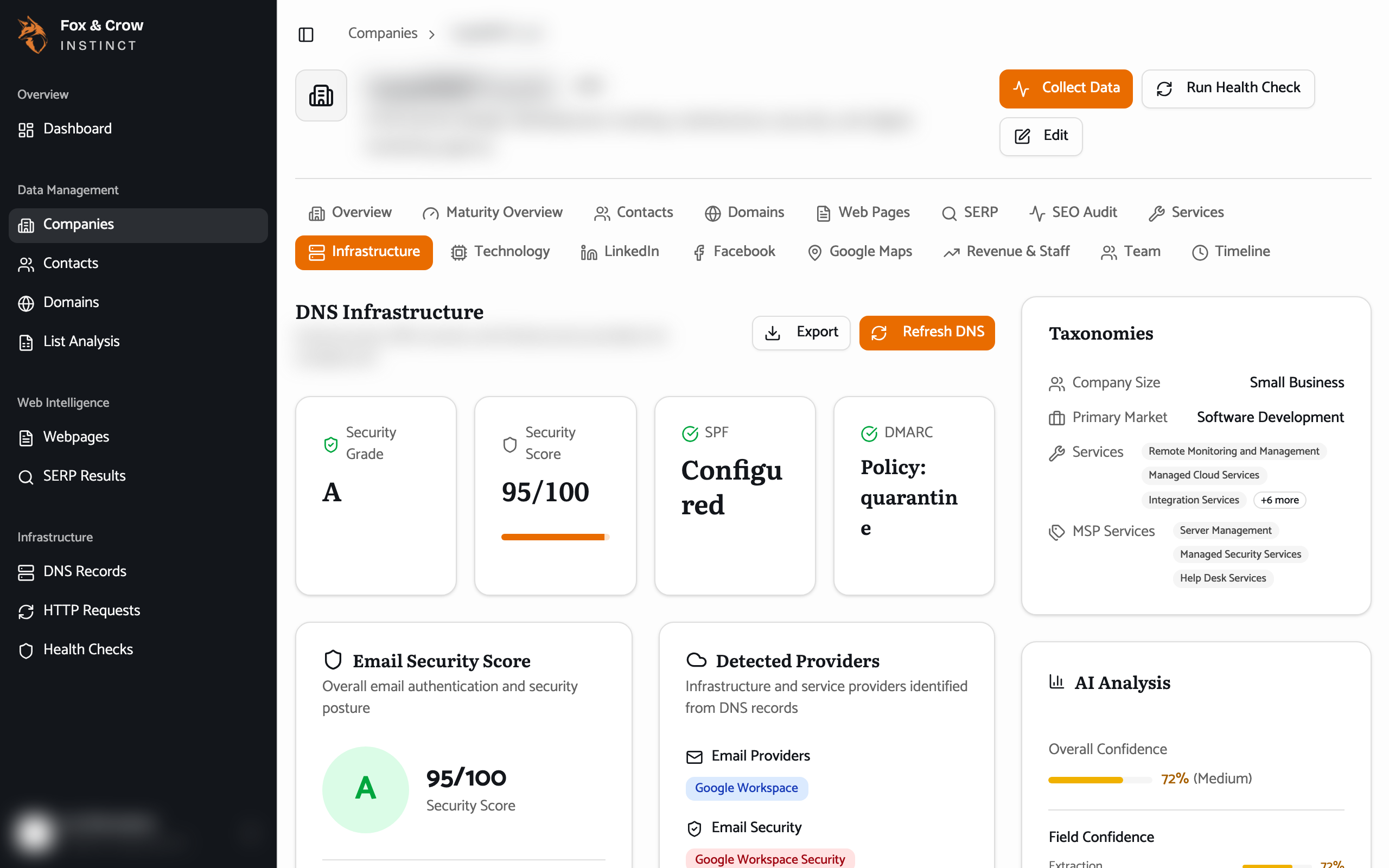
Figure 10.1The Infrastructure tab. DNS records, an email-security score, the SPF/DMARC/DKIM status, and the domain's registration history.
Why email security matters for MSPs
An MSP that hasn't configured SPF, DMARC, and DKIM on its own domain is a striking find — it's a security provider that hasn't secured its own email. Whether that's a red flag or an opening depends on your angle, but it's always worth knowing, and it feeds directly into the Infrastructure Security sub-score (Section 08).
Technology
The Technology tab lists the vendors and tools Instinct has spotted the company using, and — importantly — how each was detected, so you know how much to trust it:
- Detected via DNS — structural, high-confidence findings drawn from the company's own DNS records (its SPF, MX, and CNAME entries). If a mail vendor shows up here, the company really is using it.
- Detected via Logo — visual findings, where a vision model recognized a vendor's logo on the company's website. Useful, but treat it as "seen on the site" rather than "confirmed in use."
Splitting the two lets you weight them appropriately: lead with the DNS-detected tools when you need to be sure, and use the logo-detected ones as leads to confirm.
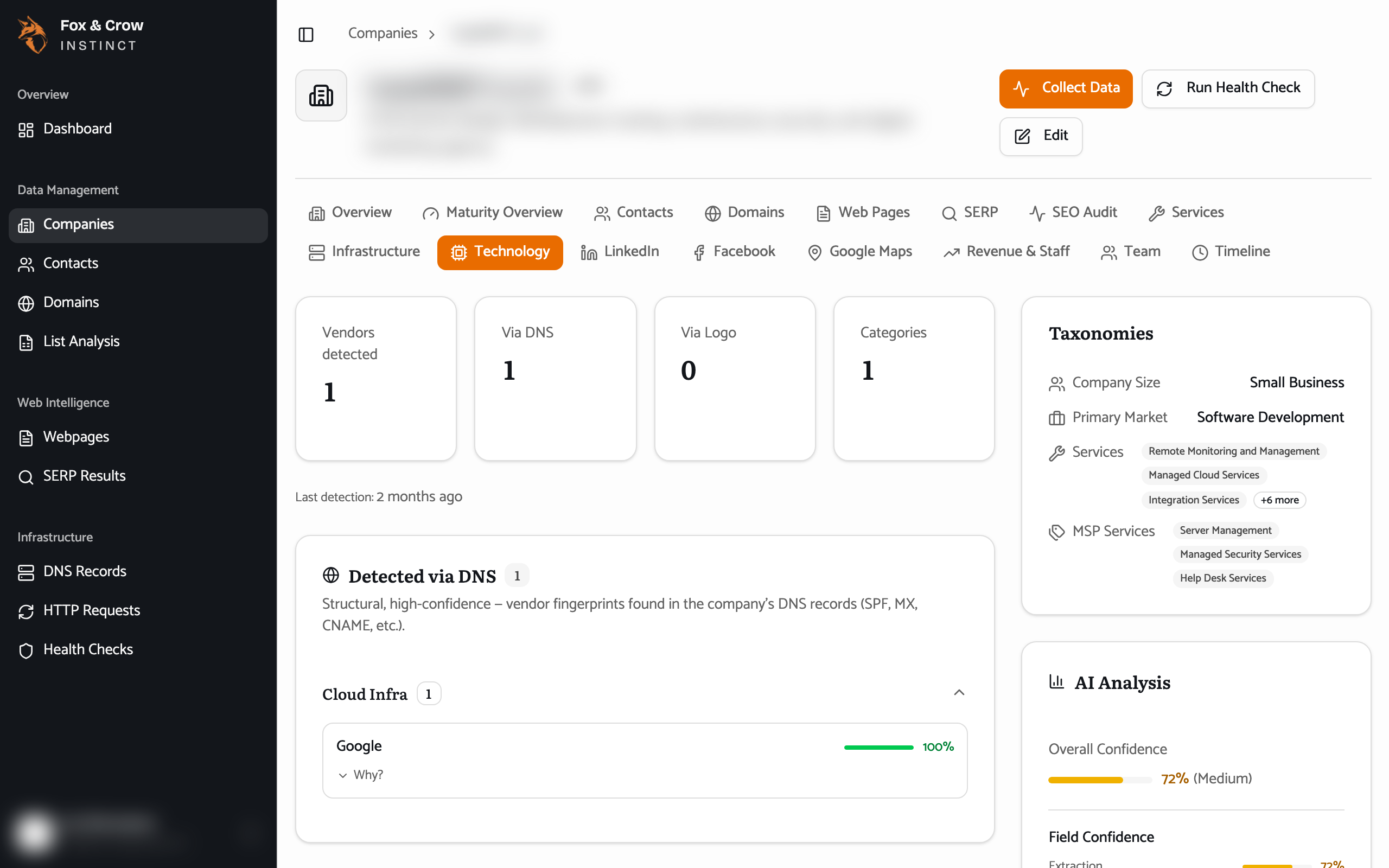
Figure 10.2The Technology tab. Vendors split by how they were found — high-confidence DNS detections versus logos seen on the site.
The bottom line
How they run their own shop.
Infrastructure shows how well a company secures its domain and email; Technology shows what it runs and how sure we are. For selling to IT providers, few pages are more telling.