
Section 14 · Domains, Web Pages & Search
14Domains
A domain is a company's address on the web — and a rich record in its own right. Instinct tracks each domain's DNS, its email security, its health, and the pages hanging off it. You can reach a domain from its company, or browse them all from the Domains list in the navigation rail. This section covers both.
The Domains list
The Domains list is every tracked domain in one table. Alongside the usual search box (Search domains…), it has three filters made for domains:
- DNS Resolves — whether the domain currently resolves: Resolves or Not Resolving. A domain that no longer resolves may be a company that's moved or folded.
- Service — the hosting or infrastructure provider behind the domain (for example Cloudflare, AWS, Google, or Office 365).
- Health — a health band: Good, Moderate, or Poor.
The columns show each Domain, its DNS Status, the Services detected on it (as tags), its Last Check, and a Health indicator.
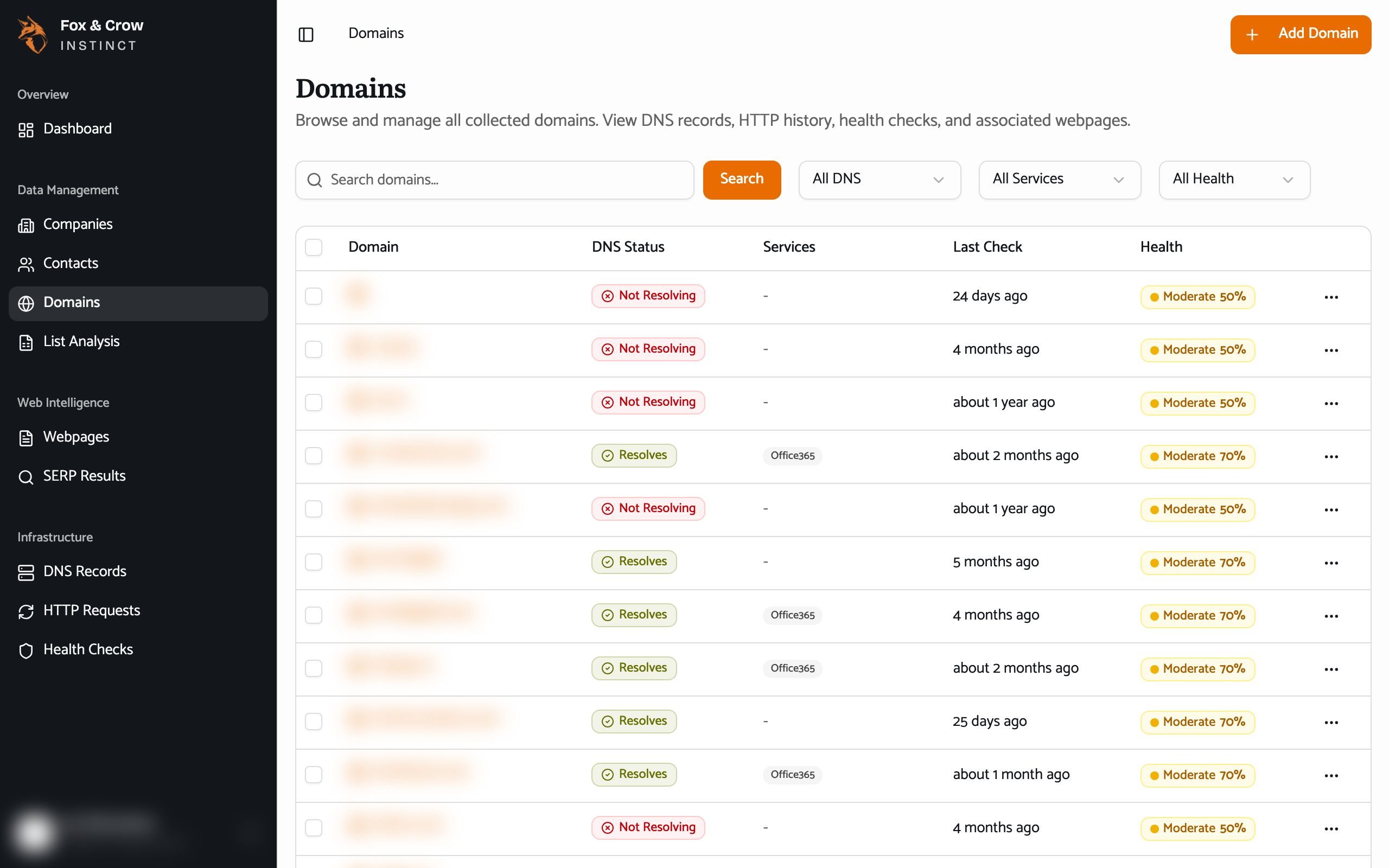
Figure 14.1The Domains list. Filter by whether a domain resolves, the service behind it, or its health band.
A domain's detail
Open a domain to see everything about it. The header carries quick status badges — DNS OK, SPF, DMARC — and a Visit Site link. A Domain Health score sits up top, and a sidebar summarizes the essentials:
- Domain Registration — the Registrar, Registrant, and the Created and Expires dates.
- Email Security — whether SPF and DMARC are configured or missing.
- Detected Services — the services running on the domain.
- Metadata — how many times it's been checked, and when it was first and last checked.
The domain tabs
A domain's detail is organized into tabs:
| Tab | What's on it |
|---|---|
| Overview | The summary above. |
| DNS Records | The full DNS record set for the domain. |
| HTTP History | The record of the domain's web responses over time. |
| Health Checks | The history of health checks run against it. |
| Webpages | The pages Instinct has crawled on this domain (Section 15). |
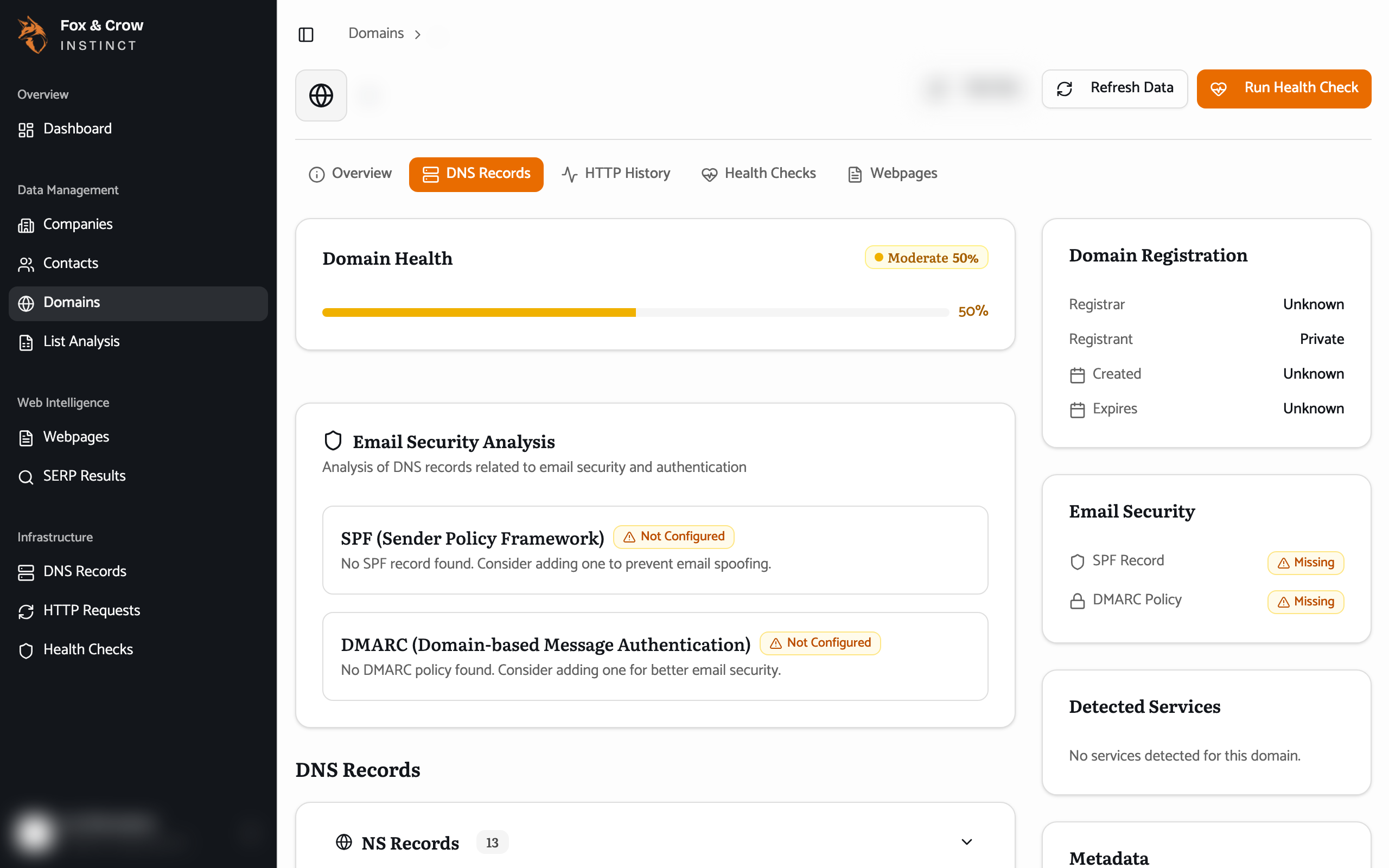
Figure 14.2A domain's DNS Records tab, with registration details and email-security status in the sidebar.
Domain data and company data agree
The DNS and email-security you see on a domain are the same facts that drive a company's Infrastructure tab and its Infrastructure Security sub-score (Sections 08 and 10). The Domains list is just the way to work across many companies' domains at once — for instance, to find every tracked domain with DMARC missing.
The DNS Records, HTTP Requests, and Health Checks entries in the navigation rail's Infrastructure group are the top-level homes for this kind of data; in practice it's richest viewed on a specific domain or company, which is where this guide focuses.
The bottom line
The company's address, in full.
Registration, DNS, email security, health, and pages — the Domains list lets you work across all of them, and each domain's detail is the technical truth behind a company.